We use cookies to make your experience better. To comply with the new e-Privacy directive, we need to ask for your consent to set the cookies. Learn more.
OPENING TIMES: MONDAY - FRIDAY | 9AM - 5:30PM
Wireless CarAutoPlay for Apple CarPlay and Android Auto Dongle FOR ANDROID OS STEREOS
Car Auto Play
Car Auto Play takes the things you want to do with your smart Phone whilst driving and puts them right on your car’s built-in or after-market display. You can do things such as get directions,make calls,send and receive messages and listen to music. Best of all it is in a way that allows you to stay focused on the road.
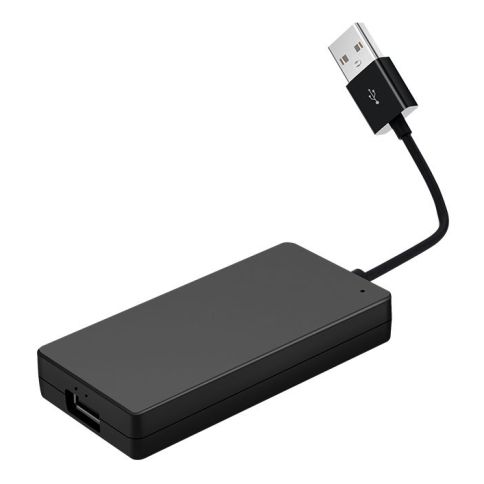
The CarAutoPlay adapter is designed to work with aftermarket head unit. With the CP03, you can get CarAutoPlay and Android Auto to work on car stereos simply by connecting your phone to the head unit.
CP03 support Android phone with Android 4.3 and above.
CP03 support iPhone 5 and later models with iOS 8 and above.
CP03 is compatible with Android Car Stereo with Android 7.1 and above.
Simply Connected and Go
Before connection, please download and install "AutoKit" app to your car stereo and open it: https://1drv.ms/u/s!Am70h7RvIcDI5XDaatNQalhPl_of?e=1Xt3Fw
For iPhone
Wireless Connection Step
1. Connect CP03 with Android Head Unit.
2. Turn on Bluetooth and Wi-Fi in your iPhone.
3. Pair your phone's Bluetooth with CP03 and enter the PIN to complete the wire-lessly connection.
Wired Connection Step
1. Connect CP03 with Android head unit.
2. Connect the other end of CP03 to your phone.
(Please be sure you are using original/factory phone cable for connection, low quality aftermarket phone cable may lead to unstable connection or failure for connection.)
For Android Phone
1. Connect your phone with car stereo via Bluetooth.
2. Download "Android Auto" app in your phone, and connect your phone with car stereo.
What's in Box
1 x CP03
1 x User Manual

| Description | Wireless CarAutoPlay for Apple CarPlay and Android Auto Dongle FOR ANDROID OS STEREOS Car Auto Play CP03 support Android phone with Android 4.3 and above. Simply Connected and Go For Android Phone What's in Box
|
|---|