We use cookies to make your experience better. To comply with the new e-Privacy directive, we need to ask for your consent to set the cookies. Learn more.
OPENING TIMES: MONDAY - FRIDAY | 9AM - 5:30PM
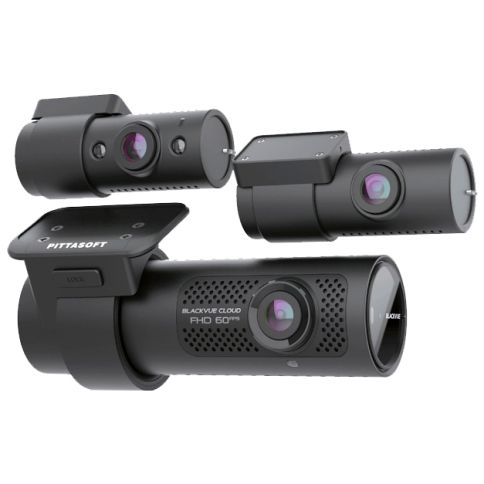
BLACKVUE DR750X 3CH PLUS 32GB Three-Channel Front, Rear and Interior Cloud Dashcams with GPS, Wi-fi, Cloud & Parking Mode

Front, Rear and Interior Video Protection.
The DR750X-3CH Plus is a triple-channel dash cam with BlackVue Cloud connectivity.
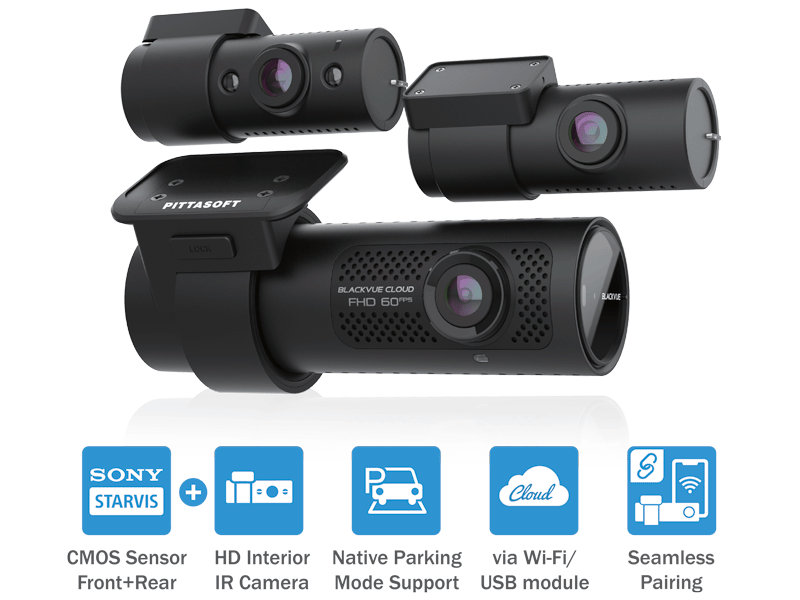
Both front and rear cameras use back-illuminated Full HD Sony STARVIS™ image sensors for best image quality under any light,
and the interior camera can record even in full darkness with its infrared LEDs.
This stealthy dashcam also comes with built-in GPS, Wi-Fi and native Parking Mode support via included hardwiring cable.
Key Features
• Front Full HD 1080p @30fps
• 2.1 Mega Pixel Sony STARVIS Sensor
• Superior Night Vision in Low Light
• Rear Full HD 1080p @30fps
• Built-in Wi-Fi & GPS
• Front & Rear 139° Wide Angle View
• 3 Recording Modes (Normal, Event & Parking)
• Parking Mode for 24hrs Monitoring & Security
• Built in Motion & Impact Detection
• Hardwire Power Cable Included
• Supports up to 256GB SD Card
• Cloud Connected Features inc Live Tracking
& Notifications (CM100LTE Required)
Great video night and day, inside and out
Dual STARVIS™ sensors in Full HD 1080p (front 60 / rear 30 frames per second / 139° view angle) + HD 720p (30 frames per second / 119° view angle) interior infrared camera with Sony CMOS sensor.
The back-illuminated STARVIS image sensors produce clear details in both shadows and highlights thanks to high sensitivity and wide dynamic range. With its infrared illumination LEDs, the driver-facing camera captures details of the interior even in complete darkness.
Native Parking Mode with built-in voltage monitor to protect your vehicle battery (hardwiring cable included).
With the free BlackVue Cloud service, check on your car from anywhere, anytime.
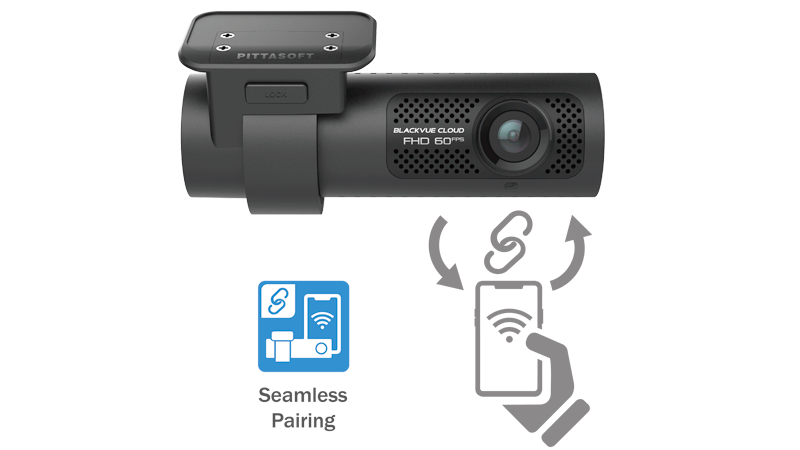
Seamless Pairing with the BlackVue App
Simply connect to your dashcam without leaving the BlackVue App. With Seamless Pairing, setting up your dashcam is a breeze. Just power the dashcam, then easily connect from the BlackVue app and follow the simple instructions.
Whether you want to browse your dashcam’s files and settings or connect your dashcam to the Cloud, Seamless Pairing makes everything easy and intuitive.
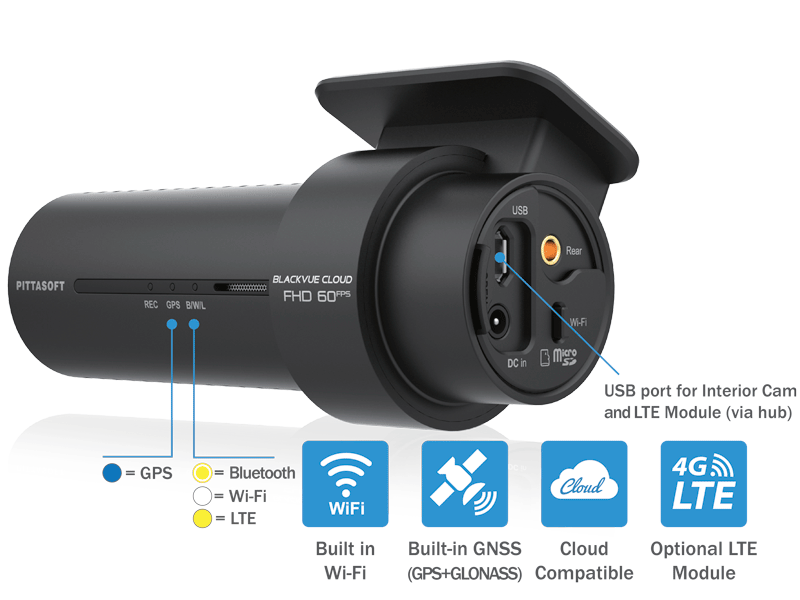
GPS, Wi-Fi and Optional LTE
GPS: visualize the location of your vehicle on the map during video playback and overlay speed on videos (can be hidden in settings).
Wi-Fi: lets you connect to your BlackVue with a smartphone or tablet. Wi-Fi also lets your BlackVue connect to BlackVue Cloud via any home or mobile Wi-Fi hotspot (router).
LTE: for the best Cloud experience, the included USB Hub lets you connect the optional LTE connectivity module* along with the driver-facing USB camera.

Native Parking Mode
DR750X Plus Series can be hardwired to your vehicle’s fuse panel for Parking Mode, without requiring optional accessories. The dashcam will switch to Parking Mode automatically when vehicle ignition is turned off. Voltage cutoff and timer can be set in the BlackVue App.
Parking Mode accessories support
DR750X Plus Series is also compatible with all BlackVue Parking Mode Kits and Batteries.
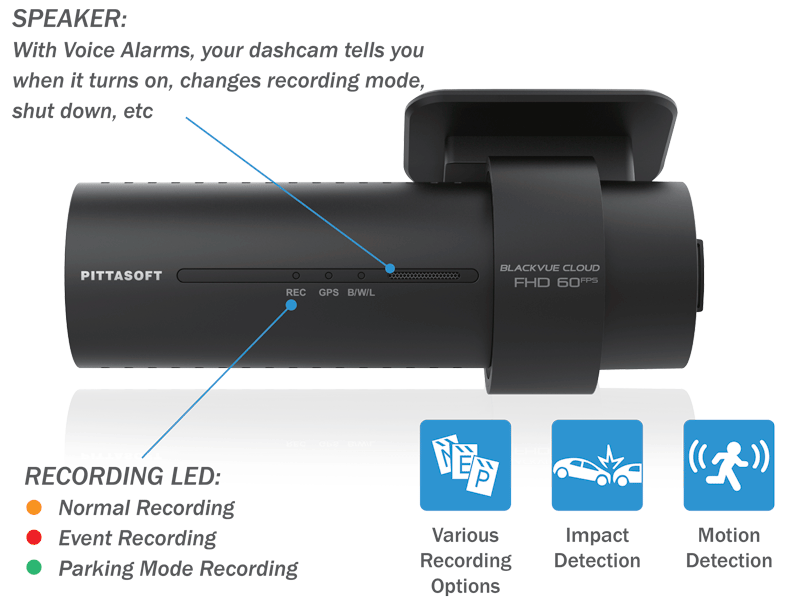
Built-in Impact & Motion Detection
While driving, the built-in accelerometer (G-sensor) detects impacts and sudden changes in speed. While parked, your BlackVue also detects visual movements around your vehicles.
Use the filters in the BlackVue App and Viewer
BlackVue tags all videos (Normal, Event, Parking Mode, etc.), so that you can filter them and quickly find the ones you need in the BlackVue Viewer (Windows, Mac OS, Web) or the BlackVue App (Android, iOS).
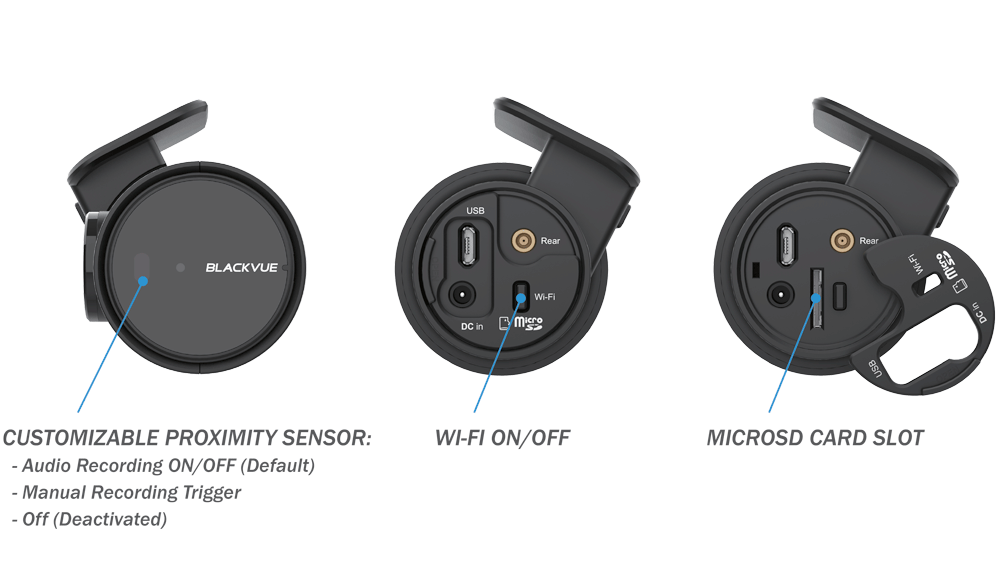
Sleek Interface
Toggle audio recording ON and OFF by simply waving your hand in front of it. The sensor can also be configured to trigger Manual Event videos in the settings.
Wi-Fi button
Turn Wi-Fi ON/OFF with the push of a button. All actions are confirmed by a voice prompt.
Secure microSD card access
Unplug the DC in power connector and pop the cover open to reveal the microSD card slot.

Connect to your BlackVue anytime, from anywhere in the world with BlackVue Cloud.
Receive Push Notifications on your phone whenever the dashcam detects an impact on your parked vehicle, and see for yourself with Remove Live View. Even better, let BlackVue upload critical footage—such as break-in or hit and run—in real time to the Cloud with Live Event Upload.
Play and download videos from your dashcam or the Cloud from anywhere and back up important videos to the free Cloud storage.
Enjoy Two-way Voice Communication with the driver from the app through the BlackVue’s integrated speaker and mic.
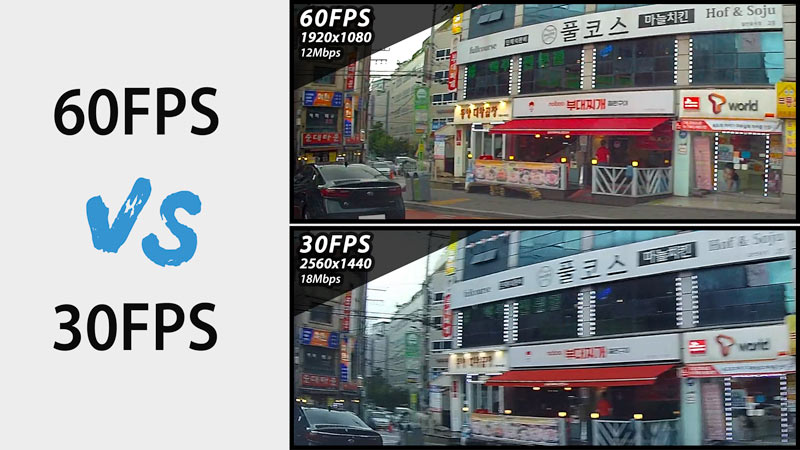
High Frame Rate for Extra Fluidity
The front camera records extra fluid videos at 60 frames per second, keeping all details sharp even in fast action. With 60fps, motion blur is much reduced compared to 30fps. That means your BlackVue can better capture details–like license plates–even in fast-moving objects.
Note 1: the higher the image quality setting, the higher the bitrate and the bigger the file size. A bigger size will increase the time necessary to transfer a video file over Wi-Fi.
Note 2: Remote Live View using BlackVue Cloud is not affected by the image quality and framerate settings.

LTE Connectivity Module (Optional)
The CM100LTE provides easy 4G LTE connectivity to enable BlackVue Cloud features. All you need is a valid Nano SIM card. Your 3CH BlackVue includes a USB Hub accessory so you can connect both the CM100LTE and the driver-facing camera.
When connected to the CM100LTE, your BlackVue can serve as a mobile hotspot providing wireless Internet access to up to five devices (smartphone, tablet, etc.).
Note: when purchasing, make sure the CM100LTE you choose is compatible with your mobile carrier’s network.
| Description | BLACKVUE DR750X 3CH PLUS 32GB Three-Channel Front, Rear and Interior Cloud Dashcams with GPS, Wi-fi, Cloud & Parking Mode
Front, Rear and Interior Video Protection. The DR750X-3CH Plus is a triple-channel dash cam with BlackVue Cloud connectivity.
Key Features • Front Full HD 1080p @30fps Great video night and day, inside and out Dual STARVIS™ sensors in Full HD 1080p (front 60 / rear 30 frames per second / 139° view angle) + HD 720p (30 frames per second / 119° view angle) interior infrared camera with Sony CMOS sensor. Native Parking Mode with built-in voltage monitor to protect your vehicle battery (hardwiring cable included). With the free BlackVue Cloud service, check on your car from anywhere, anytime.
Seamless Pairing with the BlackVue App Simply connect to your dashcam without leaving the BlackVue App. With Seamless Pairing, setting up your dashcam is a breeze. Just power the dashcam, then easily connect from the BlackVue app and follow the simple instructions. Whether you want to browse your dashcam’s files and settings or connect your dashcam to the Cloud, Seamless Pairing makes everything easy and intuitive.
GPS, Wi-Fi and Optional LTE GPS: visualize the location of your vehicle on the map during video playback and overlay speed on videos (can be hidden in settings). Wi-Fi: lets you connect to your BlackVue with a smartphone or tablet. Wi-Fi also lets your BlackVue connect to BlackVue Cloud via any home or mobile Wi-Fi hotspot (router). LTE: for the best Cloud experience, the included USB Hub lets you connect the optional LTE connectivity module* along with the driver-facing USB camera.
Native Parking Mode DR750X Plus Series can be hardwired to your vehicle’s fuse panel for Parking Mode, without requiring optional accessories. The dashcam will switch to Parking Mode automatically when vehicle ignition is turned off. Voltage cutoff and timer can be set in the BlackVue App. Parking Mode accessories support
Built-in Impact & Motion Detection Use the filters in the BlackVue App and Viewer
Sleek Interface Toggle audio recording ON and OFF by simply waving your hand in front of it. The sensor can also be configured to trigger Manual Event videos in the settings. Wi-Fi button Secure microSD card access
Connect to your BlackVue anytime, from anywhere in the world with BlackVue Cloud. Receive Push Notifications on your phone whenever the dashcam detects an impact on your parked vehicle, and see for yourself with Remove Live View. Even better, let BlackVue upload critical footage—such as break-in or hit and run—in real time to the Cloud with Live Event Upload.
High Frame Rate for Extra Fluidity The front camera records extra fluid videos at 60 frames per second, keeping all details sharp even in fast action. With 60fps, motion blur is much reduced compared to 30fps. That means your BlackVue can better capture details–like license plates–even in fast-moving objects. Note 1: the higher the image quality setting, the higher the bitrate and the bigger the file size. A bigger size will increase the time necessary to transfer a video file over Wi-Fi.
LTE Connectivity Module (Optional) The CM100LTE provides easy 4G LTE connectivity to enable BlackVue Cloud features. All you need is a valid Nano SIM card. Your 3CH BlackVue includes a USB Hub accessory so you can connect both the CM100LTE and the driver-facing camera. When connected to the CM100LTE, your BlackVue can serve as a mobile hotspot providing wireless Internet access to up to five devices (smartphone, tablet, etc.). |
|---|